Telloを飛ばす
Telloをプログラムする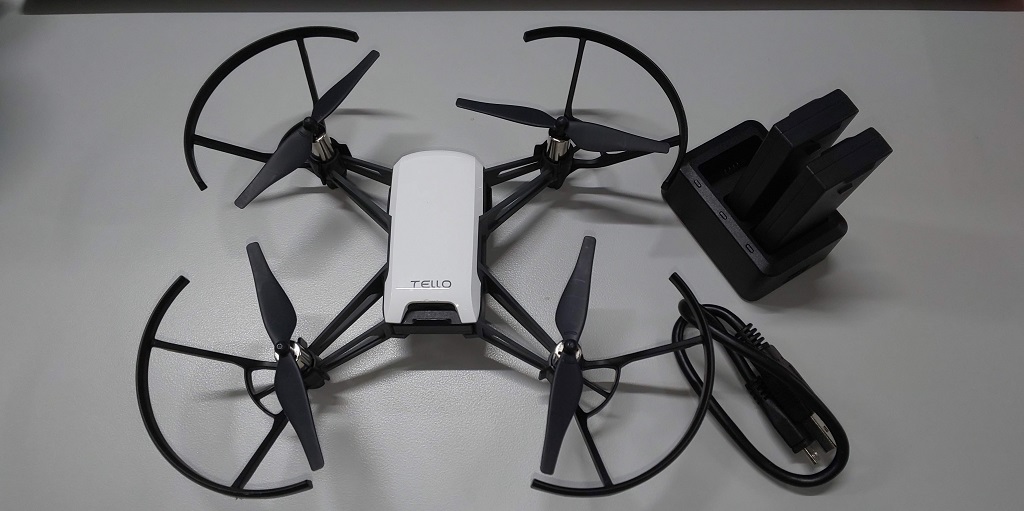
Ryze Technologyのドローンの「Tello EDU」は教育で使用できるドローンです。今まで操縦だけのドローンには関心が無かったのですが、これならばPythonが試せそうですので、やってみましょう
Tello のプログラムは今回は Pythonで行います。Tello EDUは電源を入れるとWifiが使えるサーバーとして稼働します。コマンドを受け付けるサービスとカメラ画像を公開するサービスが動きます。ここにUDPで接続してコマンドを送り、操縦してみましょう。
サンプルプログラムは、githubで公開されています
https://github.com/dji-sdk/Tello-Python/tree/master/Single_Tello_Test
ここに
stat.py
tello.py
tello_test.py
command.txt
の4つのファイルが入っています。tello.pyに通信の部分がプログラムされていて、ステータスの取得をstat.pyでやっています。このプログラムをtello_test.pyから呼び出し、command.txtに書き込まれたコマンドを順次実行することによって、ドローンを制御しようというものです。パソコンでこのTelloを制御する場合、Wifiが必要になりますので、pythonが入ったパソコンでwifiができるようにしてから、Telloを起動して、TelloとWifiの接続をしてから、プログラムを動かすことになります。
tell.pyの解説をしましょう
tello.py(python3に変更済み)
import socket
import threading
import time
from stats import Stats

class Tello:
    def __init__(self):
        self.local_ip = ''
        self.local_port = 8889
        self.socket = socket.socket(socket.AF_INET, socket.SOCK_DGRAM)  # socket for sending cmd
        self.socket.bind((self.local_ip, self.local_port))

        # thread for receiving cmd ack
        self.receive_thread = threading.Thread(target=self._receive_thread)
        self.receive_thread.daemon = True
        self.receive_thread.start()

        self.tello_ip = '192.168.10.1'
        self.tello_port = 8889
        self.tello_adderss = (self.tello_ip, self.tello_port)
        self.log = []

        self.MAX_TIME_OUT = 15.0

    def send_command(self, command):
        """
        Send a command to the ip address. Will be blocked until
        the last command receives an 'OK'.
        If the command fails (either b/c time out or error),
        will try to resend the command
        :param command: (str) the command to send
        :param ip: (str) the ip of Tello
        :return: The latest command response
        """
        self.log.append(Stats(command, len(self.log)))

        self.socket.sendto(command.encode('utf-8'), self.tello_adderss)
        print( 'sending command: %s to %s' % (command, self.tello_ip))

        start = time.time()
        while not self.log[-1].got_response():
            now = time.time()
            diff = now - start
            if diff > self.MAX_TIME_OUT:
                print( 'Max timeout exceeded... command %s' % command)
                # TODO: is timeout considered failure or next command still get executed
                # now, next one got executed
                return
        print( 'Done!!! sent command: %s to %s' % (command, self.tello_ip))

    def _receive_thread(self):
        """Listen to responses from the Tello.

        Runs as a thread, sets self.response to whatever the Tello last returned.

        """
        while True:
            try:
                self.response, ip = self.socket.recvfrom(1024)
                print('from %s: %s' % (ip, self.response))

                self.log[-1].add_response(self.response)
            except socket.error as exc:
                print("Caught exception socket.error : %s" % exc)

    def on_close(self):
        pass
        # for ip in self.tello_ip_list:
        #     self.socket.sendto('land'.encode('utf-8'), (ip, 8889))
        # self.socket.close()

    def get_log(self):
        return self.log
stats.py(python3に変更済み)
from datetime import datetime

class Stats:
    def __init__(self, command, id):
        self.command = command
        self.response = None
        self.id = id

        self.start_time = datetime.now()
        self.end_time = None
        self.duration = None

    def add_response(self, response):
        self.response = response
        self.end_time = datetime.now()
        self.duration = self.get_duration()
        # self.print_stats()

    def get_duration(self):
        diff = self.end_time - self.start_time
        return diff.total_seconds()

    def print_stats(self):
        print('\nid: %s' % self.id)
        print('command: %s' % self.command)
        print('response: %s' % self.response)
        print('start time: %s' % self.start_time)
        print('end_time: %s' % self.end_time)
        print('duration: %s\n' % self.duration)

    def got_response(self):
        if self.response is None:
            return False
        else:
            return True

    def return_stats(self):
        str = ''
        str +=  '\nid: %s\n' % self.id
        str += 'command: %s\n' % self.command
        str += 'response: %s\n' % self.response
        str += 'start time: %s\n' % self.start_time
        str += 'end_time: %s\n' % self.end_time
        str += 'duration: %s\n' % self.duration
        return str
TCP/IPのUDP通信を使ってTelloに接続します。Telloは起動すると 192.168.10.1 のIPアドレスを使用しますので、ポート:8889で接続します。
コマンドを送信すると返信が返ってきますが、それをプログラム本体で待ってしまうと、プログラムがその間止まってしまいます。そこで受信の部分はスレッドにしておいて、受信が終わり次第次に進むようにプログラムを作ります。
_receive_thread()が受信スレッドで、send_command()の中の whileループで受信を待っています。15秒返事が無ければタイムアウトします。
次に、このtello.pyを呼び出すmainである tello_test.pyを解説します。
tello_test.py(python3に変更済み)
from tello import Tello
import sys
from datetime import datetime
import time

start_time = str(datetime.now())

file_name = sys.argv[1]

f = open(file_name, "r")
commands = f.readlines()

tello = Tello()
for command in commands:
    if command != '' and command != '\n':
        command = command.rstrip()

        if command.find('delay') != -1:
            sec = float(command.partition('delay')[2])
            print('delay %s' % sec)
            time.sleep(sec)
            pass
        else:
            tello.send_command(command)

log = tello.get_log()

out = open('log/' + start_time + '.txt', 'w')
for stat in log:
    stat.print_stats()
    str = stat.return_stats()
    out.write(str)
importでTelloクラスを使っています。起動時に ファイル名を起動パラメータで渡してもらうとその内容を逐次実行します。「command」というコマンドを出力すると準備がよければ「OK」が返ってきます。たとえば今回のcommand.txtの内容が
command.txt
command
takeoff
delay 5
land
の場合、コネクトが成立して、プロペラを回して離陸、5秒待った後、着陸する工程を実行します。
コマンドは以下のものが使えます。
| コマンド | 意味 |
|---|---|
| command | コマンドを受信できるようにする |
| takeoff | 離陸 |
| land | 着陸 |
| up x | x(cm)上昇 |
| down x | x(cm)下降 |
| left x | x(cm)左へ移動 |
| right x | x(cm)右へ移動 |
| forward x | x(cm)前進 |
| back x | x(cm)後退 |
| ccw x | x(度)反時計回り |
| cw x | x(度)時計回り |
| flip x | 宙返り(f,b,r,lで向きを指定) |
| go x y z speed | 指定した座標に移動 |
| curve x1 y1 z1 x2 y2 z2 speed | 現在位置、p1,p2の3点を通る円弧状を移動 |
| speed x | 速度x(cm/s)を設定 |
| battery? | バッテリー残量を取得 |
| height? | 高度を取得 |
| attitude? | 機体の傾き(pitch,roll,yaw) |
| rc a b c d | 4チャンネルでリモコンの制御 a=左右 b=前後 c=上下 d=ヨー |
これらを組み合わせてcommand.txtを作り、実行してみましょう。delay xはプログラムでsleepしますのでドローンのコマンドではありません